
Freeze or cancel your membership
If your gym uses this, you can freeze, reactivate or cancel your membership yourself. If you don’t see these options, contact your gym to make the change.
Open User Profile → Subscription Management and scroll to Your membership. The app checks your membership and shows only the options that apply to you.
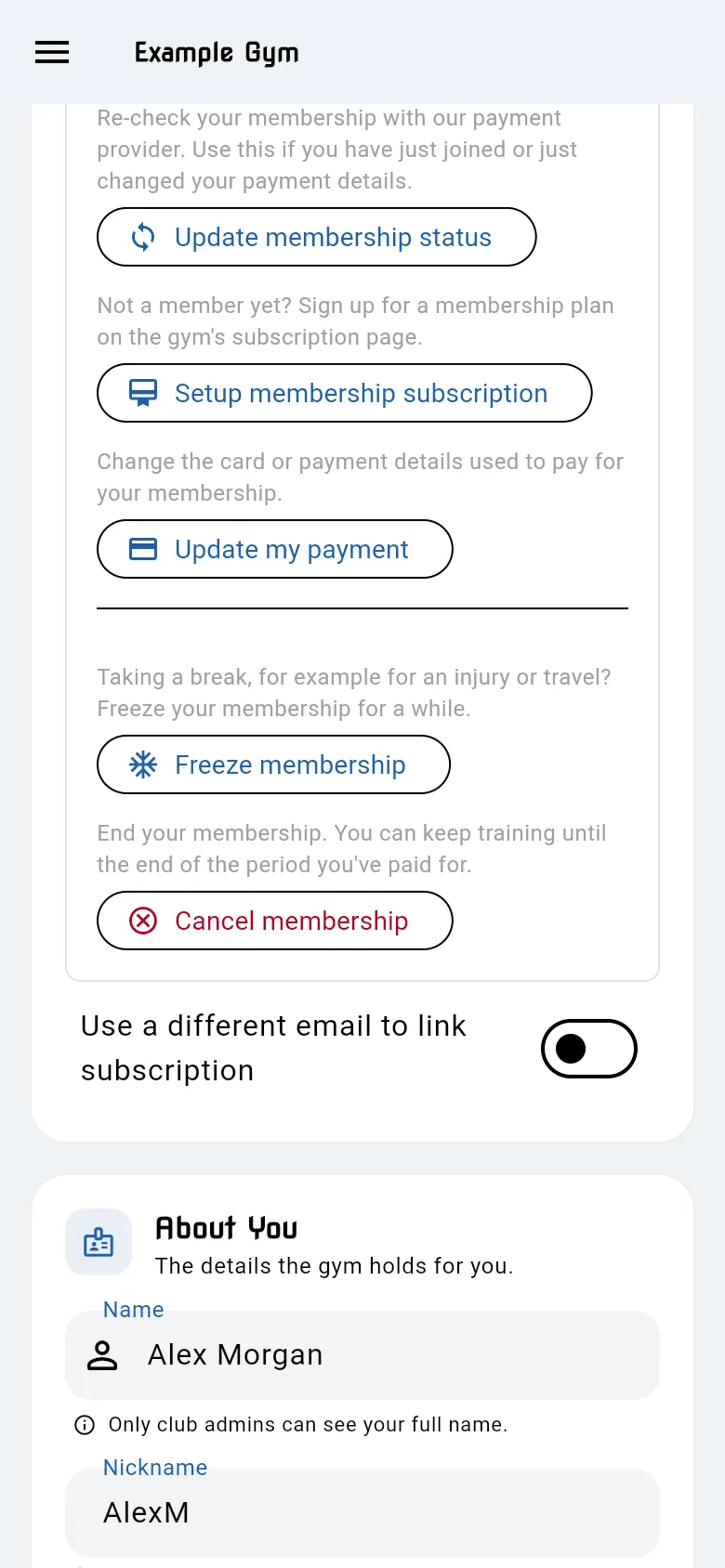
Freeze your membership
Section titled “Freeze your membership”Taking a break for an injury or travel? Freeze your membership for a while.
- Tap Freeze membership.
- Under How long for?, choose the number of months.
- Read what will happen. The app shows the dates the freeze starts and ends, and what you’ll pay meanwhile.
- Tap Freeze.
Depending on your gym, during a freeze either:
- no payments are taken, or
- you pay a lower suspension fee each month instead of your usual fee.
Your membership restarts automatically at the end of the freeze. Your profile shows the freeze, for example Your membership is frozen until….
You can’t freeze your membership if a payment is overdue (settle it first), if your membership is already set to end, or if it’s already frozen.
Come back early
Section titled “Come back early”Back to training before the freeze ends?
- Tap Reactivate membership.
- Tap Reactivate to confirm.
The freeze ends now and any suspension fee is cancelled. Your usual payments restart from your next billing date.
Cancel your membership
Section titled “Cancel your membership”- Tap Cancel membership.
- Read the confirmation and tap Cancel membership. Tap Keep membership if you change your mind.
- Card payments: you keep training until the end of the period you’ve paid for. The app shows the end date. You won’t be charged again.
- Direct Debit: your Direct Debit membership is cancelled now and no further payments are taken.
- If your membership was frozen, the freeze and any suspension fee are cancelled too.